The machine I originally wanted was the Carvera Air (Japanese). But Makera also makes the cheaper Z1.
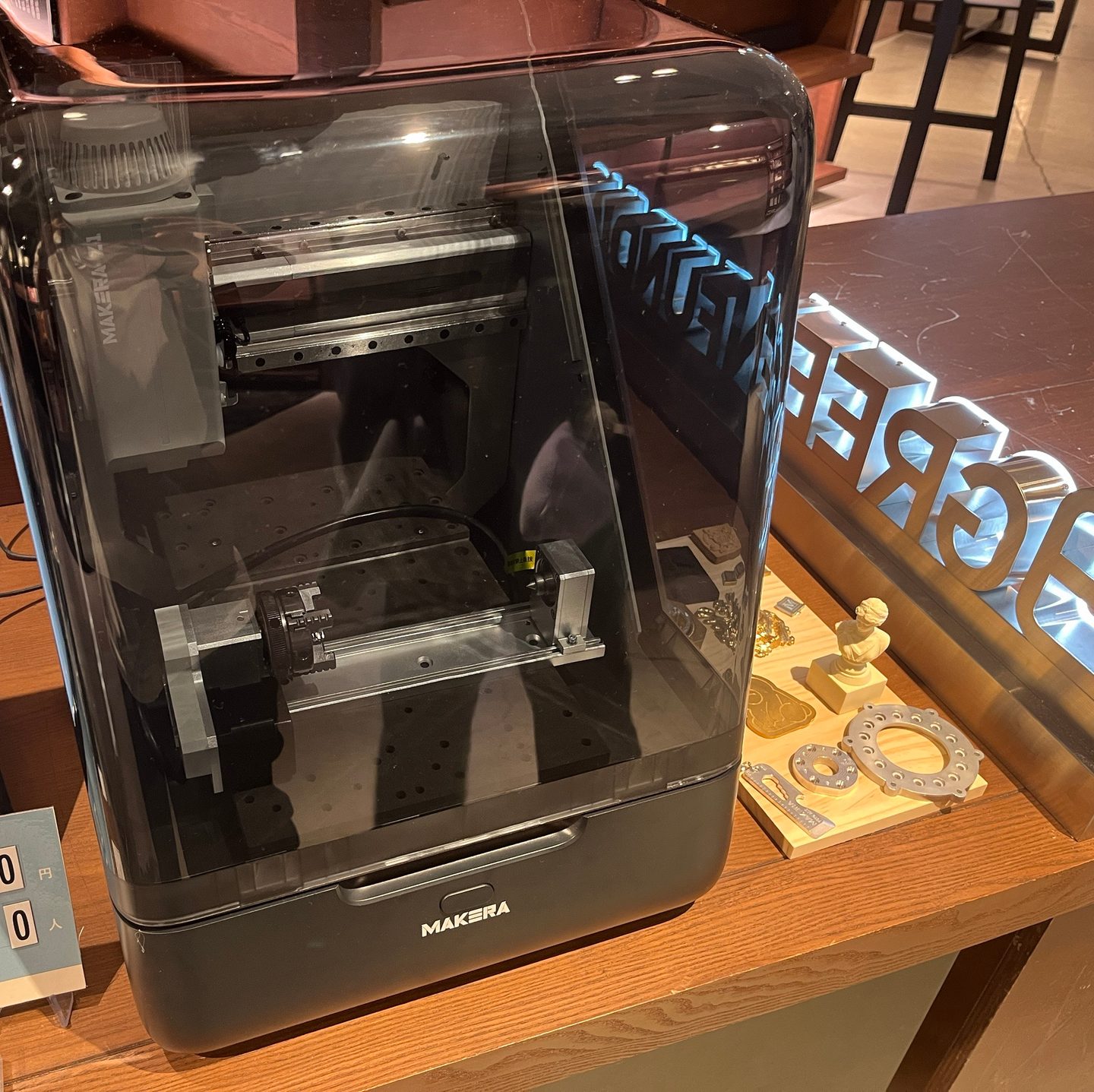
The Z1 starts at USD 1,399 and the Carvera Air at USD 2,699. With USD 1,300 between them, which should you choose? As of 1 November, Makera’s Black Friday sale has the Z1 at USD 1,249 and the Carvera Air at USD 1,999. “carvera air vs z1” also tops the search suggestions, so I lined up the official specs and FAQs side by side.
I haven’t bought or used either. This is pre-purchase research based on Makera’s official pages and FAQs, first checked on 4 October 2026, and the figures are published values, not results from cutting the same part on both.
The short answer: which one suits you?
Choosing from the official specs and FAQs, it comes out like this. The sections below go through why.
| What you want to make | Likely fit |
|---|---|
| Wood, acrylic, circuit boards, small items | Z1 |
| Mostly aluminium or copper, parts within 200 mm | Z1 Pro |
| Parts over 200 mm, or metal on the 4th axis | Carvera Air |
| Automatic tool changes | Within Makera, the larger Carvera. From other makers, the TwoTrees ED1 and others |
| Cutting titanium or stainless for long stretches | Makera recommends neither |
Makera Z1 price: what does it cost?
Makera sells the Z1 through its official Global store, priced in US dollars.
Makera’s sale page calls it “Super Early Bird”, and buying early adds a Side Clamp Set worth USD 60. As of 1 November I couldn’t find when it ends. Shipping appears at checkout, and import duties and taxes depend on where you live.
I’m in Japan, where, under Makera’s shipping policy, the recipient handles customs clearance and taxes. For personal imports, consumption tax is 10% of 60% of the overseas retail price, and CNC machines carry no duty. At JPY 150 to the dollar, that puts the Z1 at about JPY 222,000 including tax, the Z1 Pro at about JPY 286,000 and the Carvera Air at about JPY 429,000 at regular prices (about JPY 199,000, 262,000 and 318,000 at sale prices), before shipping. Japan Customs, Customs Answer 1111 (Japanese)
What they have in common
Knowing what’s the same makes the differences easier to see.
- Auto probe: measures the material’s thickness and surface, and corrects for tilt and unevenness before cutting
- Enclosure: the machine is covered, so less noise and fewer chips escape
- Tool changes: both are manual. Neither has an ATC that swaps tools by itself
- Parts: cutters, collets and the laser module (USD 149) are shared. Only the 4th axis is model-specific
- Where to buy: both ship from the Global store. In Japan the Z1 is also slated for crowdfunding on GREEN FUNDING; it was announced for October 2026, but on 1 November it still said “Coming Soon”
Official photos and product info: Makera Z1 / Carvera Air
The auto probe that drew me to the Air is on the Z1 too. So the deciding factors are size, how the machine moves and which materials it can cut.
The biggest differences: size and how they move
Here’s just what differs, taken from Makera’s official comparison. Makera: Z1 / Makera: Carvera Air
| Item | Makera Z1 | Carvera Air |
|---|---|---|
| Price | From USD 1,399 | From USD 2,699 |
| Work area | 200 × 200 × 100 mm | 300 × 200 × 130 mm |
| Spindle | 150 W | 200 W |
| Lead screws | Trapezoidal | Ball screw |
| Max travel speed | 1,200 mm/min | 4,000 mm/min |
| Weight | About 17 kg | About 30 kg |
| Width × depth | 350 × 470 mm | 500 × 450 mm |
Size. The Z1’s work area is 10 cm narrower than the Carvera Air’s. For long parts like keyboard plates, that’s the first thing you’ll hit. In return, the Z1 weighs about half as much and is 15 cm narrower, so it looks easier to fit on a desk. Makera’s FAQ puts its running noise at about 70 dB.
How they move. The screws that drive the axes are trapezoidal lead screws on the Z1 and ball screws on the Carvera Air. Ball screws hold position better at speed (more in Z1 vs Z1 Pro).
How far can they go with metal?
After size, the thing that matters most to me is which metals they can cut.
| Makera Z1 | Carvera Air | |
|---|---|---|
| Good at | Aluminium, brass, copper | Aluminium, brass, copper |
| Steel, stainless, titanium | Not recommended without experience | Long machining not recommended |
The Z1 FAQ gives concrete limits too: for aluminium, under 1 mm depth per pass and stock up to about 50 mm thick. It can’t cut glass or stone.
On steel, stainless and titanium, the Z1’s wording is a step more cautious, going as far as saying these metals may push the machine beyond what it’s designed for.
Z1 vs Z1 Pro: which one?
The Z1 has a step-up version, the Z1 Pro. Three things differ: the screws that move the axes, the motors and the speed. The price gap is USD 400.
| Item | Z1 | Z1 Pro |
|---|---|---|
| Price (machine only) | USD 1,399 (1,249 on sale) | USD 1,799 (1,649 on sale) |
| Lead screws | Trapezoidal | Ball screw |
| Motors | Stepper | Closed-loop stepper |
| Max travel speed | 1,200 mm/min | 2,000 mm/min |
Screws. In a trapezoidal lead screw, the threads slide against each other. In a ball screw, balls roll between them, so there’s less friction and it holds position better at speed. Makera itself says there’s no accuracy difference at low speed, but the Z1 Pro keeps its accuracy better at high speed.
Motors. The Z1 Pro’s closed-loop motors check that they’ve turned as commanded. That helps keep position with materials that push back hard, like metal.
Speed. The Z1 Pro’s top travel speed is about 1.7 times the Z1’s, so the same part tends to finish sooner.
Makera’s own guidance is the Z1 for mostly wood and soft materials, and the Z1 Pro for mostly copper and aluminium. Put together:
- The Z1 is enough if: you mostly cut wood, acrylic or circuit boards, and would rather start cheaply even if jobs take longer.
- Go for the Z1 Pro if: you want to cut aluminium, brass or copper, and want shorter cutting times.
If you’re considering the Z1 Pro, put the Carvera Air next to it too. At regular prices the gap between them is USD 900, but during the 1 November sale it’s down to USD 350. For that, the work area grows 10 cm in width, the top travel speed doubles again, and the 4th axis gets stronger.
Do you need the 4th axis?
If you want to cut pens or round parts, you’ll want a 4th axis. Here the two machines differ clearly.
| Item | Makera Z1 | Carvera Air |
|---|---|---|
| 4th-axis module | USD 299 | USD 499 (+399 in a bundle) |
| Stock it can turn | Ø80 × 150 mm | Ø92 × 200 mm |
| Torque | About 2.5 Nm | About 10 Nm |
The Z1’s 4th axis has about a quarter of the Carvera Air’s torque. Makera doesn’t say which jobs that shows up in, but for turning metal, the Carvera Air looks like it has more headroom. The 4th-axis modules are model-specific, so you can’t carry one over if you switch machines.
How well-rounded the Z1 is
I’ve compared numbers so far, but I think the Z1’s real appeal is in what numbers don’t show.
On rigidity alone, there are tougher-looking machines. The LUNYEE 3020 Nova I compared in my C500 article (Japanese), for example, uses HG15 linear guides and 1204 ball screws, and the machine was USD 599 (checked 8 September 2026, without an enclosure).
Even so, the Z1 comes with an enclosure, an auto probe and software, and looks like it will look after you all the way to your first cut. In 3D printer terms, it feels like where the Bambu Lab A1 mini sits.
Which would I choose?
My call is “not for now” on both.
What I want to make is small things like titanium keycaps (Japanese), and cutting titanium and stainless is all I need. Makera doesn’t recommend either machine for that. So on 15 October 2026 I backed the ToolDance X1 on Kickstarter, which publishes the conditions it used to cut titanium.
If you mostly cut aluminium, brass, wood or circuit boards, it’s a different story. To start small, cheap and easy, the Z1 or Z1 Pro. For larger parts, or metal on the 4th axis, the Carvera Air. That’s how I’d split it. For other machines by purpose, see best desktop CNC for cutting metal at home.
References
- Makera Z1 (specs, FAQ, price)
- Carvera Air (specs, FAQ, price)
- Makera 2026 Black Friday sale (checked 1 November 2026)
- Makera Z1 4th-axis module
- Carvera Air 4th-axis module